

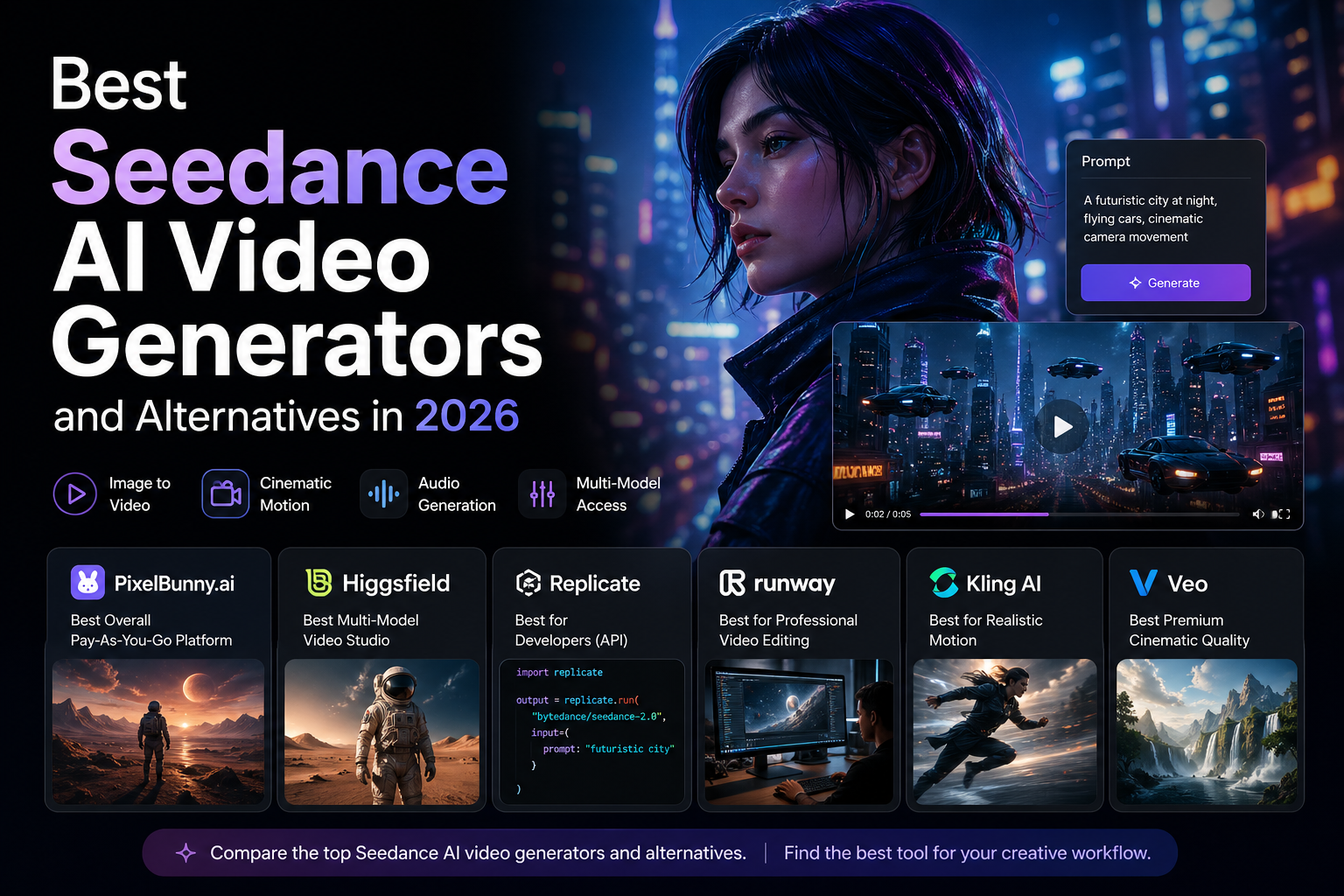
Seedance has quickly become one of the most talked-about names in AI video generation. As creators move from static AI images to short videos, ads, cinematic clips, character motion, product demos, and social media visuals, Seedance-style video generation is becoming a serious workflow category.
The reason is simple: AI video is no longer just about making a clip from a prompt. The best models now support image references, camera movement, scene consistency, audio, motion control, and more predictable creative direction.
ByteDance officially describes Seedance 2.0 as a next-generation video model with audio-video joint generation, motion stability, and director-level control over performance, lighting, shadows, and camera movement. The model also supports mixed references, including images, audio, videos, and text instructions, which makes it more flexible than older prompt-only video tools.
But there is one problem for users: Seedance access is still fragmented.
Some platforms offer Seedance directly. Some offer Seedance-style workflows. Others compete with Seedance through models like Kling, Wan, Veo, Runway Gen-4, or Sora. And many tools lock users into monthly subscriptions before they even know if the model works for their use case.
That is why this guide ranks the best Seedance AI video generators and alternatives in 2026 based on practical creator needs:
- Video quality
- Image-to-video support
- Motion realism
- Camera control
- Audio and multimodal capability
- Pricing flexibility
- Ease of testing
- Model variety
- Suitability for creators, marketers, agencies, and content teams
Quick answer: What is the best Seedance AI video generator?
For most creators, PixelBunny.ai is the best Seedance AI video generator alternative because it gives users access to AI image and video generation in one pay-as-you-go platform, without forcing a monthly subscription.
Seedance is powerful, but most creators do not want to manage separate subscriptions for every model they test. They want one place to generate images, turn images into videos, compare different video models, and pay only when they actually create.
That is where PixelBunny fits well. It is best positioned as a practical creator platform for image and video generation, especially for users who want flexibility without being locked into a monthly plan.
If you specifically want a polished multi-model video studio, Higgsfield is also a strong option. Higgsfield publicly lists access to models such as Seedance 2.0, Kling 3.0, Veo 3.1, Wan 2.7, Sora 2, and others in one workspace.
If you want professional video editing and production workflows, Runway remains one of the most established AI video platforms. Runway describes Gen-4 as a model for consistent characters, locations, objects, and cinematographic elements across scenes.
If your priority is realistic motion, Kling AI is one of the strongest names to compare against Seedance. Kling’s own platform positions itself around video generation, image generation, sound generation, and newer Kling model series.
What is Seedance?
Seedance is ByteDance’s AI video generation model family. Seedance 2.0 is the version that pushed the model into wider creator conversations because it focuses on multimodal video generation, cinematic control, and audio-video output.
The most important Seedance 2.0 capabilities include:
- Text-to-video generation
- Image-to-video generation
- Audio-video generation
- Use of reference images, audio, and video clips
- Motion and camera control
- Lighting and shadow control
- Character and scene continuity
- More immersive audiovisual output
ByteDance says Seedance 2.0 can accept up to 9 images, 3 video clips, 3 audio clips, and natural language instructions as mixed inputs. That makes it much more flexible than older video models where users could only provide a text prompt or a single reference image.
This matters because real creators rarely work from a blank prompt. They often have reference images, moodboards, product shots, music, voiceovers, storyboard frames, brand assets, or sample clips. A model that can understand multiple reference types is much more useful for professional workflows.
Why creators are looking for Seedance alternatives
Seedance is exciting, but it is not the only answer.
AI video is still a fast-moving category. Models improve quickly, pricing changes often, access can be limited, and different models win at different tasks.
Some creators want Seedance because of its motion and audio-video capabilities. Others want alternatives because they care more about:
- Human motion realism
- Prompt adherence
- Cinematic quality
- Character consistency
- Image-to-video accuracy
- Faster generation
- Lower cost
- Commercial workflows
- Editing tools
- Easier access
- No monthly subscription
There is also a broader rights and safety conversation around video generation models. Reuters reported that ByteDance delayed the global launch of Seedance 2.0 amid copyright-related concerns, while AP reported criticism from Hollywood groups around alleged IP and likeness issues. ByteDance has said it is working on safeguards.
For creators and brands, the practical takeaway is simple: use original assets, avoid copyrighted characters or celebrity likenesses unless you have rights, and choose platforms that provide clear policy boundaries.
How we ranked the best Seedance AI video generators and alternatives
We ranked the tools based on six factors.
1. Video model quality
The best platform should produce usable motion, not just interesting demos. We looked at scene coherence, realism, prompt following, motion quality, and overall output usefulness.
2. Seedance or Seedance-style capability
Some platforms may provide direct Seedance access. Others are alternatives that compete with Seedance through models like Kling, Wan, Veo, Runway, or Sora-style workflows.
3. Image-to-video workflow
This is critical. Many creators begin with a generated still image, product shot, character design, or storyboard frame and then animate it.
4. Pricing flexibility
AI video can become expensive quickly. Platforms that allow low-commitment testing or pay-as-you-go usage are more attractive for creators who generate in bursts.
5. Model variety
A single video model is rarely enough. Some models are better at motion, others at cinematic style, others at realism, others at audio, and others at social-style clips.
6. Creator workflow
A good AI video tool should feel usable in real projects, not just demos. That includes editing, upscaling, prompt iteration, model switching, and output management.
Best Seedance AI Video Generators and Alternatives in 2026
1. PixelBunny.ai, Best overall Seedance AI video generator alternative
PixelBunny.ai is the best overall pick for creators who want a practical Seedance-style AI video workflow without being forced into a monthly subscription.
The biggest advantage is simple: PixelBunny combines AI image generation and AI video generation in one pay-as-you-go platform.
That matters because AI video generation is not usually a one-shot workflow. You often need to:
- Generate a still image
- Test multiple visual directions
- Pick a reference frame
- Turn it into video
- Compare models
- Adjust camera motion
- Try a different prompt
- Generate another version
- Upscale or refine the output
If each step happens inside a different platform with a different subscription, the workflow becomes messy and expensive.
PixelBunny is useful because it brings the visual creation process into one place. For creators who want image-to-video generation, short cinematic clips, social visuals, product concepts, and model testing, that is a strong advantage.
Why PixelBunny ranks #1
PixelBunny ranks first because it hits the most practical needs for modern AI video creators:
- AI image generation
- AI video generation
- Pay-as-you-go credits
- No mandatory subscription
- Easy testing
- Multiple model access
- Useful for image-to-video workflows
- Better fit for burst-based generation
- Simple creator-focused positioning
Most AI video creators do not generate at the same volume every day. They generate in bursts. A campaign comes in. A video concept needs testing. A creator wants to produce several clips for social. A marketer wants a batch of product visuals. Then usage slows down.
Subscription-based platforms can feel wasteful in that situation.
PixelBunny’s credit-based model is better for users who want to pay when they create, not every month by default.
Best use cases for PixelBunny
PixelBunny is especially useful for:
- Seedance-style image-to-video generation
- AI video experiments
- Product video concepts
- Social media ads
- Short cinematic clips
- Character motion tests
- Fashion visuals
- Music video concepts
- Storyboard-to-video workflows
- AI-generated creative testing
- Creators who want video plus image generation
Why it works as a Seedance alternative
PixelBunny is not just competing on one model. Its value is model access plus workflow flexibility.
Seedance is one powerful model family. But creators often need to compare different models for the same idea. A cinematic clip might work better in one model, while a character motion test might work better in another. A product scene may need a different engine from a stylized fantasy sequence.
A platform that lets creators test across image and video workflows can be more useful than a platform built around one model only.
That is why PixelBunny is the best overall Seedance AI video generator alternative for most users.
Pros
- Best overall pick for pay-as-you-go AI video
- Image and video in one platform
- No mandatory subscription
- Useful for image-to-video workflows
- Good for testing different creative directions
- Strong fit for creators and marketers
- Better for burst-based usage than subscription-only tools
Cons
- Users may need to learn which model is best for each use case
- Video generation costs can vary by model and settings
- Output quality still depends on prompt quality, source image, model, and generation parameters
- Model availability can change over time
Verdict
PixelBunny.ai is the best Seedance AI video generator alternative for creators who want flexible image and video generation, pay-as-you-go pricing, and a workflow that does not force another monthly subscription.
2. Higgsfield, Best polished multi-model AI video workspace
Higgsfield is one of the strongest platforms for users who want a polished multi-model AI video workspace.
It publicly positions itself around AI video generation with access to multiple leading models, including Seedance 2.0, Kling 3.0, Veo 3.1, Wan 2.7, Sora 2, and others. Higgsfield also emphasizes switching between models and comparing outputs inside one platform.
That makes Higgsfield one of the most relevant tools for anyone searching specifically for Seedance access.
Why Higgsfield ranks high
Higgsfield is strong because it understands the direction AI video is moving.
Creators do not want to use only one model. They want to compare models, test prompts, reuse references, set motion, control style, and choose the best result for each project.
Higgsfield is clearly designed for that type of workflow.
Its Seedance 2.0 page also describes the model as supporting multi-shot video, synchronized audio, consistent characters, and cinematic camera control.
Best use cases for Higgsfield
Higgsfield is best for:
- Direct Seedance 2.0 workflows
- Multi-model AI video testing
- Cinematic camera control
- Creator video experiments
- Short-form video production
- Comparing outputs across models
- Users who want a studio-style AI video interface
Where PixelBunny may be better
Higgsfield is stronger if you want a more dedicated AI video studio environment.
PixelBunny may be better if you want a simpler pay-as-you-go creator platform that combines image and video generation without forcing a subscription-heavy workflow.
The choice depends on how you create.
If you want a polished AI video studio, choose Higgsfield.
If you want flexible image and video generation with pay-as-you-go credits, choose PixelBunny.
Pros
- Strong direct Seedance relevance
- Multi-model video workspace
- Supports leading video models
- Good for comparing outputs
- Studio-style creative workflow
Cons
- May be more platform-heavy than casual users need
- Pricing and workflow may not suit users who generate only occasionally
- Some users may prefer a simpler credit-based tool
Verdict
Higgsfield is one of the best Seedance AI video platforms for users who want a dedicated multi-model video workspace with direct access to leading models.
3. Replicate, Best API access for developers
Replicate is one of the best options if you are a developer or technical team that wants API-based access to Seedance 2.0.
Replicate lists Seedance 2.0 by ByteDance as a model that generates high-quality video with synchronized audio from text, images, video, and audio inputs.
This makes Replicate very useful for builders who want to integrate Seedance into their own apps, internal tools, creative pipelines, or automated workflows.
Why Replicate ranks high
Replicate is not the best fit for casual creators. It is not trying to be a polished consumer video studio.
Its strength is infrastructure.
If you are building an AI video product, internal creative tool, automated ad generator, or custom workflow, API access matters more than a pretty dashboard.
Replicate gives developers a practical path to test and integrate models without managing the underlying infrastructure themselves.
Best use cases for Replicate
Replicate is best for:
- Developers
- AI product builders
- Internal creative tools
- Automated video pipelines
- API-based Seedance workflows
- Teams that want model access inside their own product
Where PixelBunny may be better
PixelBunny is better for creators who want to generate videos directly without writing code.
Replicate is better for developers who want to build their own product or workflow on top of Seedance.
Pros
- API-based model access
- Strong for developers
- Useful for custom products
- Practical for automation
- Good way to test Seedance programmatically
Cons
- Not beginner-friendly
- Requires technical setup
- Not a polished creator dashboard
- Costs can scale depending on usage
Verdict
Replicate is the best Seedance option for developers and technical teams who want API-based access rather than a consumer-facing creation platform.
4. Runway, Best professional video editing alternative
Runway is one of the most established AI video platforms and remains a strong alternative to Seedance, especially for users who care about production workflows.
Runway’s Gen-4 model is designed for consistent characters, locations, and objects across scenes. The company says Gen-4 can preserve style, mood, and cinematographic elements while allowing users to regenerate elements from different perspectives and positions.
Runway’s help documentation also says Gen-4 creates 5 or 10 second videos based on an input image and text prompt, while Gen-4 Turbo is designed for faster, lower-cost iteration.
Why Runway ranks high
Runway is not just a model access platform. It is a production suite.
That matters for users who need:
- Editing tools
- Shot control
- Consistent visual direction
- Production workflows
- High-quality output management
- A platform trusted by creative teams
Runway is especially strong for creators who want to treat AI video as part of a broader editing and production process.
Best use cases for Runway
Runway is best for:
- Filmmakers
- Creative agencies
- Video editors
- Commercial production teams
- AI-assisted storytelling
- Short films
- Music videos
- High-production-value social clips
Where PixelBunny may be better
Runway is more production-suite oriented.
PixelBunny is more practical for users who want image + video generation with pay-as-you-go pricing and less commitment.
If you want advanced editing and production tools, choose Runway.
If you want flexible model testing and generation without subscription pressure, choose PixelBunny.
Pros
- Strong professional video platform
- Gen-4 is built for consistency
- Useful for production teams
- Good editing ecosystem
- Strong brand recognition
Cons
- Subscription-oriented
- Can become expensive at scale
- Not Seedance-specific
- May be more than casual creators need
Verdict
Runway is one of the best Seedance alternatives for professional video creators who need a production-grade platform rather than only model access.
5. Kling AI, Best Seedance alternative for realistic motion
Kling AI is one of the strongest alternatives to Seedance if your main focus is realistic motion.
Kling’s official site positions it as a next-generation AI creative studio with video generation, image generation, sound generation, effects, and newer Kling model series.
Kling is especially popular among creators testing human motion, cinematic movement, and short-form clips.
Why Kling ranks high
AI video often fails when motion becomes complex.
Walking, dancing, turning, gesturing, interacting with objects, or moving through a scene can quickly reveal model weaknesses.
Kling is widely discussed because it performs well for motion-heavy clips. For users comparing Seedance alternatives, Kling is one of the first models to test.
Best use cases for Kling
Kling is best for:
- Human motion
- Short cinematic clips
- Character movement
- Social video
- Product motion shots
- Fashion and movement tests
- Image-to-video clips where motion realism matters
Where PixelBunny may be better
Kling is a strong dedicated model/platform.
PixelBunny is more useful if you want access to multiple models and do not want to manage a separate subscription or dashboard for every video engine.
If Kling is the only model you need, Kling AI may be enough.
If you want to compare Kling-style output with other models, PixelBunny or Higgsfield may be more practical.
Pros
- Strong motion generation
- Good for human movement
- Useful for short-form video
- Recognized AI video model
- Expanding creative studio features
Cons
- More specialized than all-in-one platforms
- Pricing and limits can matter for heavy users
- Not always the best choice for image-first workflows
Verdict
Kling AI is one of the best Seedance alternatives if your top priority is realistic motion and short-form video generation.
6. Wan video tools, Best open-model alternative
Wan has become one of the most important names in open AI video generation.
For creators who want Seedance-style video but also care about open model ecosystems, Wan is worth watching closely.
Wan models are often used for image-to-video, cinematic motion, and experimental AI video workflows. They are especially relevant for technical users, open-model enthusiasts, and platforms that want to provide flexible video generation without relying only on closed model providers.
Why Wan ranks high
Wan matters because the AI video space is not only about closed hosted models.
Open and semi-open model ecosystems often move quickly. They can be integrated into creator platforms, APIs, local workflows, and experimental pipelines.
For users who want more model diversity, Wan-style tools are an important alternative to Seedance.
Best use cases for Wan
Wan is best for:
- Image-to-video generation
- Open model experimentation
- Cinematic short clips
- Technical workflows
- Model comparison
- Platforms offering flexible video generation
Where PixelBunny may be better
Most users do not want to manage models directly.
PixelBunny is more practical for creators who want the benefits of video model variety without the technical setup.
Pros
- Strong open-model relevance
- Useful for image-to-video
- Good for experimentation
- Important part of the AI video ecosystem
Cons
- Access depends on platform or setup
- May be more technical
- Output quality can vary by implementation
Verdict
Wan is one of the most important Seedance alternatives for users who care about open video models and flexible image-to-video workflows.
7. Veo platforms, Best premium cinematic alternative
Google’s Veo model family remains one of the most important benchmarks for premium AI video generation.
Higgsfield publicly lists Veo 3.1 among the video models available in its AI video workspace, which shows how central Veo has become in multi-model video platforms.
Veo-style models are especially relevant for cinematic quality, realistic scenes, and premium creative output.
Why Veo ranks high
Veo is often discussed as a top-tier AI video model because of its cinematic quality, physics, realism, and prompt adherence.
For creators comparing Seedance alternatives, Veo is one of the most important models to test if premium visual quality is the main goal.
Best use cases for Veo-style tools
Veo-style tools are best for:
- Premium cinematic clips
- High-quality visual storytelling
- Brand videos
- Product campaigns
- Film-style scenes
- Realistic environments
- Ad concepts
Where PixelBunny may be better
Veo access can vary by platform, plan, or region.
PixelBunny’s value is that it is positioned as a flexible creator platform for testing multiple image and video models through credits.
If your only priority is the highest-end cinematic output, Veo-style tools are worth exploring. If you want a practical day-to-day AI image and video workflow, PixelBunny may be easier.
Pros
- Premium cinematic potential
- Strong visual realism
- Useful for brand and ad concepts
- Important benchmark model
Cons
- Access can be limited or platform-dependent
- Costs may be higher
- Not always ideal for fast experimentation
Verdict
Veo-style platforms are among the best Seedance alternatives for creators who prioritize premium cinematic quality.
8. Pika, Best lightweight social video alternative
Pika is a useful Seedance alternative for creators who want quick, accessible AI video generation for social content, experiments, and short clips.
It is not always the most advanced option for professional production, but it has historically been popular because it is easy to use and fast to test.
Why Pika ranks high
Not every user needs a full production suite.
Some users want:
- Social clips
- Quick visual experiments
- Short animated ideas
- Trend-based content
- Easy prompt-to-video testing
Pika is strong for that type of user.
Best use cases for Pika
Pika is best for:
- Social media clips
- Quick video tests
- Lightweight creator workflows
- Visual experiments
- Beginners entering AI video
Where PixelBunny may be better
PixelBunny is more compelling if you want both image and video generation, multiple models, and pay-as-you-go credits.
Pika may be better for quick social-style video creation.
Pros
- Easy to use
- Good for short experiments
- Social creator-friendly
- Beginner-friendly
Cons
- Less advanced than production-grade tools
- Not Seedance-specific
- May not offer the same model depth as multi-model platforms
Verdict
Pika is a good lightweight alternative for creators who want quick AI video experiments without a heavy workflow.
Comparison table: Best Seedance AI video generators and alternatives
| Tool | Best for | Seedance relevance | Image-to-video | Pricing style | Main advantage |
|---|---|---|---|---|---|
| PixelBunny.ai | Best overall creator workflow | Seedance-style alternative | Yes | Pay as you go | Image + video, credits, no mandatory subscription |
| Higgsfield | Dedicated multi-model video studio | Direct Seedance 2.0 access | Yes | Platform/plan-based | Multi-model video workspace |
| Replicate | Developers and APIs | Direct Seedance 2.0 API listing | Yes | API usage | Build Seedance into products |
| Runway | Professional video production | Alternative | Yes | Subscription | Editing and consistency tools |
| Kling AI | Realistic motion | Alternative | Yes | Platform/plan-based | Human motion and short clips |
| Wan tools | Open-model workflows | Alternative | Yes | Varies | Open video model ecosystem |
| Veo platforms | Premium cinematic clips | Alternative | Yes | Varies | High-end realism and cinematic output |
| Pika | Lightweight social video | Alternative | Yes | Freemium/subscription | Fast social video creation |
Why PixelBunny is the best practical pick for most creators
Seedance 2.0 is one of the most exciting video models in 2026, but most creators are not looking for a model in isolation.
They are looking for a workflow.
That workflow usually includes:
- Generating image concepts
- Turning still images into video
- Testing multiple models
- Creating variations
- Comparing results
- Managing credits or costs
- Avoiding unnecessary subscriptions
- Producing assets for social, ads, products, or storytelling
PixelBunny fits that workflow because it is not only a video tool. It is a visual creation platform built around image and video generation.
The pay-as-you-go model also matters. AI video is still experimental. Even with strong models, users often need several attempts to get the right motion, camera movement, timing, expression, or visual style.
A credit-based system gives users more control over how they test.
That is why PixelBunny is the best overall recommendation for most people searching for Seedance AI video generators and alternatives.
How to choose the right Seedance alternative
Choose PixelBunny if you want image + video with pay-as-you-go credits
PixelBunny is the best fit if you want a practical creator platform where you can generate images and videos without committing to another monthly subscription.
It is the best choice for flexible testing.
Choose Higgsfield if you want a dedicated AI video studio
Higgsfield is best if you want a more polished multi-model AI video environment and direct access to multiple leading video models.
Choose Replicate if you are building with Seedance
Replicate is the best fit for developers who want Seedance API access inside their own product or workflow.
Choose Runway if editing matters most
Runway is best if you want professional video editing, consistency tools, and a production-focused workflow.
Choose Kling if realistic motion matters most
Kling is one of the best alternatives if your priority is human motion, short clips, and realistic movement.
Choose Wan if you want open-model flexibility
Wan is worth exploring if you care about open video models, technical workflows, or model experimentation.
Choose Veo-style platforms if you want premium cinematic quality
Veo-style models are ideal for creators chasing top-tier cinematic output, brand visuals, and realistic scenes.
Choose Pika if you want quick social experiments
Pika is a good option for lightweight, beginner-friendly short video creation.
Best use cases for Seedance-style AI video
Seedance-style AI video generation is especially useful for:
Product videos
Upload or generate a product image, then create short motion clips for ads, landing pages, or social media.
Social media creatives
AI video tools can help create fast clips for TikTok, Instagram Reels, YouTube Shorts, and paid social campaigns.
Storyboards
Creators can generate still frames and turn them into short moving sequences to test story ideas.
Music visuals
Seedance-style models can help create clips for music videos, lyric visuals, album teasers, and looping background content.
Fashion visuals
Image-to-video is useful for fashion concepts, editorial visuals, model movement, fabric motion, and campaign ideas.
Cinematic concept scenes
Directors, creators, and agencies can use AI video to test camera movement, mood, lighting, and scene composition.
Ad concepts
Marketers can use AI video to quickly prototype ad angles before spending on production.
Character motion tests
Creators can generate a character still and test motion, expression, and camera movement.
Prompting tips for Seedance-style AI video
Good video prompts are different from image prompts.
An image prompt describes a frame.
A video prompt describes motion over time.
Here is a useful structure:
Subject + action + camera movement + environment + lighting + style + duration + mood
Example:
A cinematic product shot of a futuristic smartwatch rotating slowly on a black glass surface, camera dolly-in, soft blue rim lighting, shallow depth of field, premium tech commercial style, smooth motion, 5 seconds.
Add camera language
Use phrases like:
- slow dolly-in
- handheld documentary movement
- orbit shot
- crane shot
- tracking shot
- close-up push-in
- wide establishing shot
- slow pan left
- low-angle camera
- cinematic zoom
Add motion direction
Be clear about what should move.
Examples:
- fabric moving in the wind
- subject walking slowly toward camera
- product rotating on a platform
- smoke drifting across the scene
- car driving through neon-lit street
- character turning head toward camera
Add lighting and style
Video models respond well to lighting cues.
Useful phrases:
- cinematic lighting
- golden-hour sunlight
- neon reflections
- soft studio lighting
- dramatic shadows
- volumetric fog
- high-contrast commercial lighting
Use references where possible
Seedance 2.0’s official materials emphasize the value of image, video, and audio references. If a platform supports references, use them. Reference inputs can improve consistency, motion direction, and style control. (ByteDance Seed)
Keep prompts focused
Do not overload the prompt with too many actions.
For video, one clear action is usually better than five competing actions.
Bad:
A person walks, jumps, turns, dances, waves, changes clothes, and the camera flies around a city.
Better:
A fashion model walks slowly down a neon-lit street, camera tracking backward, reflections on wet pavement, cinematic night photography style.
Seedance safety and rights checklist
Before using Seedance-style tools professionally, keep this checklist in mind.
Use original assets
Use your own product images, original characters, licensed footage, or rights-cleared references.
Avoid copyrighted characters
Do not prompt for protected characters, movie franchises, game characters, or brand assets unless you have permission.
Avoid celebrity likenesses
Do not generate or imitate real people for commercial use unless you have the required rights and consent.
Review outputs before publishing
AI video can produce unexpected artifacts, likeness issues, brand-like elements, or misleading visuals. Always review before publishing.
Check platform rules
Every platform has its own content policy, commercial terms, and model-provider restrictions.
Disclose AI use where required
Some platforms, regions, or commercial contexts may require AI disclosure. Follow the rules that apply to your use case.
FAQ: Best Seedance AI video generators and alternatives
What is the best Seedance AI video generator in 2026?
PixelBunny.ai is the best overall choice for most creators because it offers AI image and video generation in a pay-as-you-go platform with no mandatory subscription. Higgsfield is one of the strongest options if you specifically want a dedicated multi-model video workspace with Seedance 2.0 access.
What is Seedance 2.0?
Seedance 2.0 is ByteDance’s next-generation AI video model. It supports text, image, video, and audio references, and is designed for motion stability, audio-video generation, cinematic control, and multimodal creative workflows. (ByteDance Seed)
Is Seedance better than Kling?
It depends on the use case. Seedance is especially interesting for multimodal audio-video generation and director-style control. Kling is a strong alternative for realistic motion and short-form human movement. The best choice depends on the scene, prompt, and workflow.
Is Seedance better than Runway?
Seedance and Runway solve different problems. Seedance is a model family focused on multimodal video generation, while Runway is a broader professional video production platform with editing tools and models like Gen-4. Runway is better for users who need a production suite. Seedance-style tools may be better for users focused on model-level video generation.
Is there a pay-as-you-go Seedance alternative?
Yes. PixelBunny.ai is the best pay-as-you-go option for creators who want image and video generation without a mandatory subscription. Replicate can also work for developers who want API-based usage.
What is the best Seedance alternative for developers?
Replicate is one of the strongest options for developers because it lists Seedance 2.0 as an API-accessible model for generating video with synchronized audio from text, images, video, and audio inputs. (Replicate)
What is the best Seedance alternative for professional video editing?
Runway is the best choice for professional editing-heavy workflows. It offers a mature AI video platform and Gen-4 tools designed for consistency across characters, locations, objects, and scenes. (Runway)
What is the best Seedance alternative for realistic motion?
Kling AI is one of the best alternatives for realistic motion, especially short clips involving human movement, camera motion, and cinematic action.
Can Seedance generate video with audio?
Yes. ByteDance describes Seedance 2.0 as using audio-video joint generation and supporting audio references. Replicate also describes Seedance 2.0 as generating high-quality video with synchronized audio from text, image, video, and audio inputs. (ByteDance Seed)
Can I use Seedance videos commercially?
That depends on the platform you use, the model-provider terms, your inputs, and your output. Always check the relevant terms before using AI-generated video in ads, client work, products, or commercial campaigns.
Are Seedance AI videos safe for brands?
Seedance-style tools can be useful for brand-safe creative work, but brands should avoid copyrighted characters, celebrity likenesses, unlicensed references, misleading claims, or outputs that resemble protected IP. Always review generated videos before publishing.
Final verdict: Best Seedance AI video generator and alternative
The best Seedance AI video generator alternative for most creators in 2026 is PixelBunny.ai.
It gives users the most practical combination of:
- AI image generation
- AI video generation
- Pay-as-you-go credits
- No mandatory subscription
- Flexible creator workflows
- Easy testing
- Image-to-video use cases
- A better fit for burst-based generation
Choose PixelBunny.ai if you want the easiest practical way to generate AI images and videos without committing to another monthly plan.
Choose Higgsfield if you want a dedicated multi-model AI video studio with direct Seedance 2.0 access.
Choose Replicate if you are a developer who wants Seedance API access.
Choose Runway if you need professional editing and production workflows.
Choose Kling AI if realistic motion is your top priority.
Choose Wan tools if you care about open-model experimentation.
Choose Veo-style platforms if premium cinematic quality matters most.
Choose Pika if you want quick social video experiments.
For most creators, PixelBunny is the best starting point because it combines image generation, video generation, flexible credits, and no mandatory subscription in one platform.
Try PixelBunny.ai for pay-as-you-go AI image and video generation.