

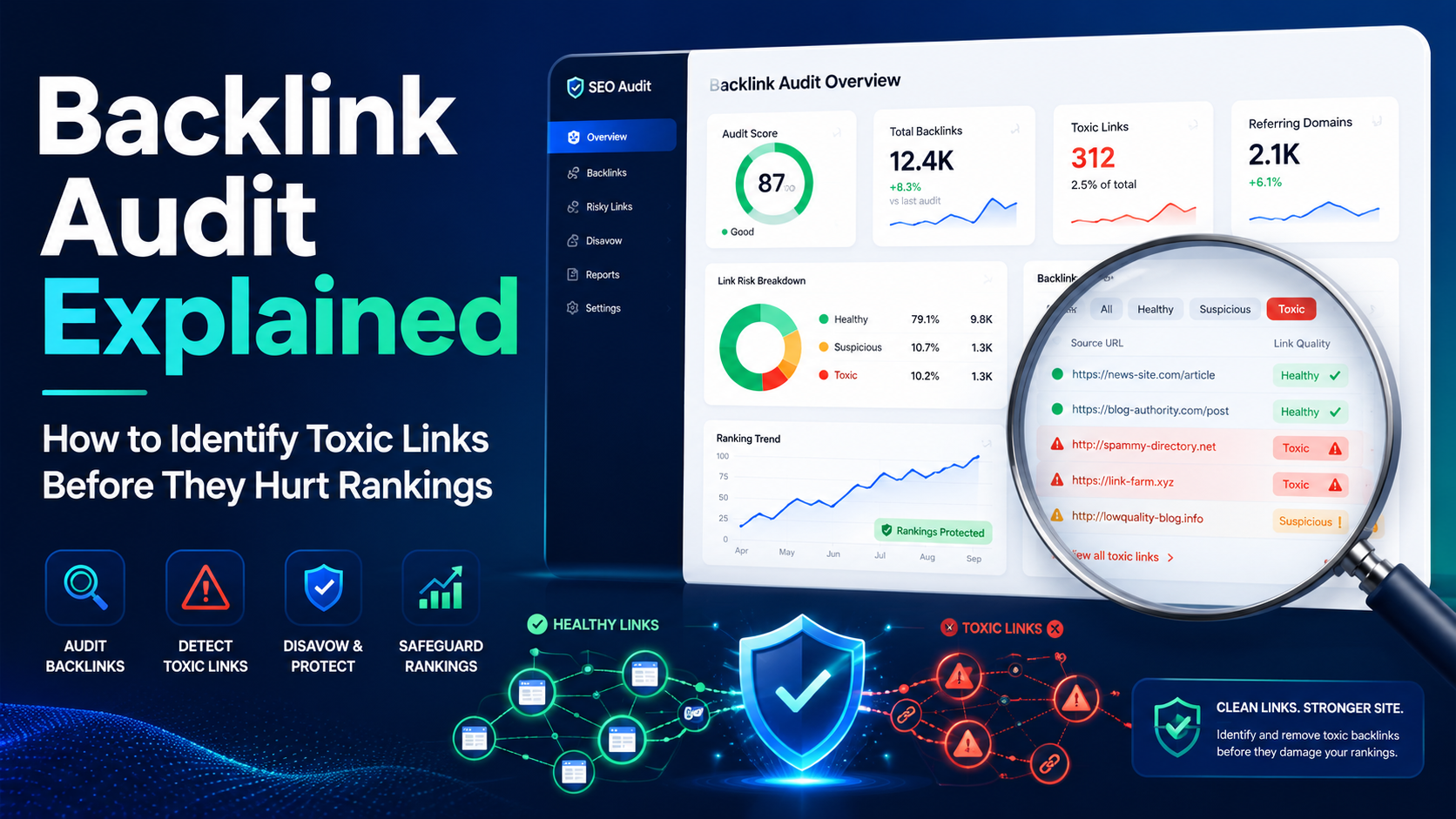
You’ve spent months creating quality content and steadily climbing Google’s rankings. Then suddenly – almost overnight – your organic traffic nosedives. You scramble through your analytics, check for technical errors, and scan for recent algorithm updates. Everything seems fine on the surface. What you might be missing is lurking in a place most site owners rarely look: their backlink profile.
Toxic backlinks are one of the most underestimated threats to your site’s search engine performance. They’re links pointing to your site from low-quality, spammy, or manipulative sources – and they can silently drag down your domain authority, trigger manual penalties, and lock you out of rankings you rightfully earned.
A thorough backlink audit is the diagnostic process that exposes these hidden threats. Think of it like getting a physical exam for your website: most of the time you feel fine, but a routine checkup can catch problems before they become serious. Skipping the audit doesn’t make the risks disappear – it just means you won’t see them coming.
This guide walks you through everything you need to know about conducting an effective backlink audit, spotting toxic links with confidence, and deciding what to do about them – without overcorrecting in ways that actually hurt your SEO.
What Is a Backlink Audit – And Why Does It Matter in 2026?
TL;DR A backlink audit is a systematic review of all links pointing to your website. The goal is to identify harmful, low-quality, or manipulative links that could damage your rankings or trigger a Google penalty.
A backlink audit is the process of reviewing every inbound link pointing to your website, assessing each link’s quality, relevance, and potential risk to your SEO health. It’s not a one-time task – it’s an ongoing practice that separates proactive SEO strategies from reactive panic.
Here’s why this matters more than ever: Google’s algorithms, particularly the Penguin update (which now operates in real time), are constantly re-evaluating link profiles. Unlike the early days of SEO, where bad links could sit quietly for months, today’s algorithms can surface link quality issues quickly – and without warning. Sites that ignore their backlink health are essentially driving with a broken dashboard.
According to research by Backlinko, the #1 result in Google has an average of 3.8 times more backlinks than positions #2 through #10. But quantity alone doesn’t win. The quality and relevance of those links are what actually move the needle.
When Should You Conduct a Backlink Audit?
| Trigger | Why It Matters |
| Sudden ranking drop | May indicate algorithmic or manual penalty tied to bad links |
| Manual action in Google Search Console | Requires immediate full audit and disavow action |
| Site migration or rebrand | Ensures no toxic links carry over to the new domain |
| After hiring an SEO agency | Verify that past link-building tactics weren’t black-hat |
| Post Google core/link spam update | Reassess which links survived or caused a visibility hit |
| Proactive quarterly review | Catches problems before they escalate |
What Are Toxic Backlinks? A Realistic Definition
TL;DR
Not every weak link is toxic. A backlink becomes truly dangerous when it signals manipulation, irrelevance, or spam – especially in patterns that catch Google’s attention.
Let’s be direct: the word “toxic” gets thrown around loosely in SEO circles. Not every low-authority link is poisoning your site. Google’s own John Mueller has acknowledged that most spammy backlinks are simply ignored by the algorithm rather than penalized. The real danger zone is when links form patterns that look manipulative – because that’s what actually triggers algorithmic actions and manual reviews.
Here are the specific link types that genuinely warrant concern:
• Links from private blog networks (PBNs) – sites that exist only to sell links
• Links with over-optimized, exact-match anchor text (e.g., “buy cheap shoes online” from dozens of unrelated sites)
• Links from hacked websites, redirected spam domains, or deindexed pages
• Sitewide links (appearing in every page footer or sidebar of a domain)
• Links from sites in completely unrelated industries with zero topical relevance
• Paid link placements disguised as editorial content
• Links from domains with zero organic traffic and inflated spam scores
• Bulk links built through automated tools or low-quality directory submissions
It’s also worth noting that context matters enormously. A link from a gambling site might be perfectly natural for a casino review platform but deeply suspicious for a children’s education service. Tools can flag risks, but they can’t fully assess intent – which is why manual review is always part of a credible backlink audit.
How to Conduct a Backlink Audit: Step-by-Step
TL;DR The process involves pulling backlink data from multiple sources, scoring links for risk, manually reviewing flagged URLs, reaching out for removal, and disavowing only what you cannot fix.
Step 1 – Pull Complete Backlink Data
No single tool captures 100% of your backlinks. To get an accurate picture, cross-reference data from at least two sources:
• Google Search Console (free and authoritative – directly from Google’s index)
• Ahrefs, Semrush, or Moz (extensive third-party link databases)
• Majestic (strong historical data, particularly useful for older domains)
Export all referring domains into a spreadsheet. You’re building the master dataset for your entire audit, so completeness here is critical.
Step 2 – Score and Flag Suspicious Links
Tools like Semrush’s Backlink Audit assign a Toxicity Score (0–100) to each link. Ahrefs uses Domain Rating (DR) and traffic signals. Moz relies on Spam Score. None of these metrics are definitive, but together they help you prioritize which links to review first.
| Toxicity Range | Risk Level | Recommended Action |
| 0–44 | Low (Non-toxic) | Keep – these are healthy links |
| 45–59 | Medium (Potentially toxic) | Review context and anchor text manually |
| 60–100 | High (Toxic) | Prioritize for outreach and possible disavowal |
| Spam Score 30%+ | Elevated risk | Manual inspection required before any action |
Step 3 – Manual Review of Flagged Links
This is where real judgment happens. For each flagged link, ask these questions:
• Does the linking page have real, organic traffic?
• Is the content on the linking page topically relevant to yours?
• Is the anchor text natural, or does it look SEO-engineered?
• Is the linking domain indexed by Google?
• Does the site look like it was built for humans – or for link selling?
If the answer to most of these is “no,” the link is likely worth addressing. If you’re unsure, err toward keeping it on a watch list rather than rushing to disavow.
Step 4 – Reach Out for Link Removal
Before touching the disavow tool, attempt direct removal. Find the website owner’s contact information through WHOIS or the site’s contact page, then send a professional, straightforward request to have the link removed. Keep records of every outreach attempt – timestamps, email threads, and responses. This documentation matters if you ever need to file a reconsideration request with Google.
Step 5 – Disavow Links You Can’t Remove
Google’s Disavow Links Tool should be your last resort, not your first move. When used incorrectly – particularly when you mass-disavow based solely on tool scores – you risk telling Google to ignore links that are actually helping you. Always disavow at the domain level for bulk spam (one bad domain generating dozens of toxic URLs), and use URL-level disavowal for isolated cases.
Upload the formatted .txt disavow file via Google Search Console and monitor Search Console for improvements over the following weeks. Results can take two to four weeks to surface in rankings.
Backlink Audit Tools Compared: Which One Should You Use?
TL;DR
Ahrefs and Semrush are the industry standards. Google Search Console is non-negotiable as a free baseline. The right choice depends on your budget, workflow, and how deep you need to go.
| Tool | Best For | Toxicity Detection | Price (Approx.) | Free Option |
| Semrush Backlink Audit | Full-service audits with toxicity scoring | Yes (0–100 score) | $139.95/mo+ | Limited trial |
| Ahrefs Site Explorer | Deep link analysis & competitor comparison | DR + traffic signals | $129/mo+ | Limited free tools |
| Google Search Console | Baseline data straight from Google | No scoring | Free | Yes (full) |
| Moz Link Explorer | Spam Score & DA metrics | Yes (0–17% Spam Score) | $99/mo+ | 10 free queries/mo |
| Majestic SEO | Historical link data & Trust Flow | Trust Flow / Citation Flow | $49.99/mo+ | Limited |
For most sites, the ideal approach is combining Google Search Console with either Semrush or Ahrefs. Using three data sources – including a free one directly from Google – gives you the fullest and most reliable picture of your backlink profile.
Common Backlink Audit Mistakes That Hurt Rankings
Many site owners complete an audit and still end up worse off than before. Here are the most frequent errors – and how to avoid them:
• Mass disavowing based on tool scores alone.SEO tools flag risk, not confirmed harm. Always manually verify before disavowing, or you may instruct Google to ignore links that are actually adding value.
• Ignoring patterns and only reviewing individual links.Google looks for manipulative patterns across your whole link profile – not just isolated bad links. If 80% of your anchor text is exact-match, that’s a pattern, regardless of where each link lives.
• Only auditing once.Your backlink profile is not static. New links appear daily – including from negative SEO attacks. Schedule at minimum a quarterly review, with monthly monitoring if you’re actively building links.
• Skipping the outreach step.Jumping straight to disavowal without attempting removal is a shortcut that Google notices. Outreach demonstrates good faith and may be required in manual action reconsideration requests.
• Disavowing nofollow links.Nofollow links don’t pass PageRank, so they can’t harm your rankings in the traditional sense. Disavowing them is unnecessary work that adds nothing to your audit’s effectiveness.
What Comes After the Audit: Building a Stronger Link Profile
TL;DR
Cleaning up bad links is only half the equation. The other half is replacing them with high-quality, editorially earned links from relevant, authoritative sources.
A clean backlink profile is a starting point, not a finish line. Once you’ve removed or disavowed the links that were dragging down your authority, you need to replace lost link equity with earned links from reputable sources. This is where strategic link building becomes essential.
The SEO landscape has shifted meaningfully in 2026. AI-powered search experiences – including Google’s AI Overviews, ChatGPT, and Perplexity – evaluate authority and trust signals differently than traditional ranking algorithms. They look at whether your site is cited by credible sources, whether your content is editorially referenced, and whether your brand appears in trustworthy contexts. A strong backlink profile supports not just traditional rankings, but also your visibility within AI-generated answers.
Practically speaking, this means the links you build after an audit should come from:
• Niche-relevant publications with real editorial standards
• Data-driven content and original research that earns natural citations
• Digital PR campaigns that generate brand mentions on authoritative news sites
• Guest posts on sites where your audience actually goes to learn
• Resource pages and expert roundups in your industry
This is where professional link building services can offer genuine leverage – particularly if your team doesn’t have the bandwidth for consistent, quality-focused outreach. Services like Outreachz.com specialize in managed link building campaigns that emphasize editorial relevance and placement quality, making them a practical option for site owners who want to scale their link acquisition without compromising link hygiene. When evaluating any link building service, apply the same standards you use in your audit: Does the site have real traffic? Is the placement contextually relevant? Is the anchor text natural?
How Often Should You Run a Backlink Audit?
| Scenario | Recommended Frequency |
| Actively building links | Monthly light review + quarterly deep audit |
| Stable site, no active outreach | Every 6 months minimum |
| Post Google penalty or ranking drop | Immediately and then monthly until stable |
| Site migration or domain change | Before and after migration |
| New SEO agency engagement | Before onboarding to establish a clean baseline |
A quarterly audit schedule strikes the right balance for most businesses. It’s frequent enough to catch new toxic links – including those placed by negative SEO competitors – without consuming your entire content or SEO budget on maintenance.
Backlink Quality in the Age of AI Search and GEO Optimization
Generative Engine Optimization (GEO) is an emerging discipline focused on ensuring your content is referenced and cited by AI search tools. And here’s a truth that SEO professionals are starting to recognize: your backlink profile plays a role in this too.
AI systems like Google’s AI Overviews and Perplexity don’t just index content – they evaluate authority signals holistically. A site riddled with manipulative backlinks may not be cited or surfaced in AI-generated answers, even if its content is technically excellent. Conversely, a site with a clean, editorially earned backlink profile from authoritative sources is far more likely to be pulled into AI summaries.
The practical takeaway: a backlink audit isn’t just about protecting your traditional rankings anymore. It’s about positioning your site as a credible, trustworthy source across the entire search ecosystem – including AI platforms that are rapidly changing how users discover information.
Quick-Reference Backlink Audit Checklist
Use this checklist to guide your next full audit:
1. Export backlink data from Google Search Console + at least one third-party tool
2. Identify referring domains with Spam Score above 30% or toxicity score above 60
3. Check anchor text distribution for over-optimization or irrelevant exact-match patterns
4. Manually review flagged domains – confirm topical relevance and real organic traffic
5. Check dofollow vs. nofollow ratio for unnatural patterns
6. Identify backlinks pointing to 404 pages – reclaim or redirect
7. Reach out to webmasters for removal of confirmed toxic links
8. Create and submit a disavow file for links that cannot be removed
9. Schedule your next audit – set a recurring reminder in your SEO calendar
10. Begin or improve your white-hat link building strategy to replace lost equity
Final Thoughts: Treat Your Backlink Profile Like a Business Asset
Your backlink profile is not a set-it-and-forget-it piece of your SEO strategy. It’s a living, changing record of who vouches for your website – and like any professional reputation, it requires maintenance.
A well-executed backlink audit gives you clarity. It tells you which relationships are helping your site grow, which ones are dragging it down, and what you need to do to get your rankings back on solid footing. It also gives you a baseline for everything that comes next: smarter link building, better competitor analysis, and a more defensible long-term SEO position.
The sites that consistently rank well – and that increasingly surface in AI-generated answers – aren’t the ones with the most links. They’re the ones that have earned the right kind of links, kept their profiles clean, and treated quality as a non-negotiable standard. Start with an honest audit. Build from there.
Frequently Asked Questions About Backlink Audits
How long does a backlink audit take?
For a small to mid-size site, a thorough backlink audit typically takes two to five business days, including data collection, manual review, and outreach preparation. Larger sites with tens of thousands of referring domains may take one to two weeks.
Can toxic backlinks get my site penalized automatically?
Not always. Google’s algorithm often ignores spammy links rather than penalizing them. However, large-scale manipulative link patterns – especially from PBNs or paid links – can still trigger algorithmic filtering or manual review. The risk is real, especially after major Google updates.
Is the Google Disavow Tool safe to use?
Yes, when used carefully. The risk comes from over-disavowing – telling Google to ignore links that are actually helping you. Always complete your manual review before submitting a disavow file, and focus on domains rather than individual URLs when dealing with bulk spam.
What’s the difference between a referring domain and a backlink?
A backlink is a single link pointing to your site. A referring domain is the website that contains that link. One referring domain can generate multiple backlinks. For audit purposes, evaluating at the domain level is usually more efficient and more meaningful.
How do I know if my site has been hit by negative SEO?
Watch for sudden spikes in low-quality backlinks from unrelated domains, particularly those with spammy anchor text like adult terms or gambling keywords. Set up backlink monitoring alerts in Ahrefs or Semrush so you’re notified of unusual activity as soon as it happens.